

Cancer Genome Project
Cancer Genetics & Genomics
Archive Page
This page is maintained as a historical record and is no longer being updated.
The Cancer Genome Project research group finished their work at the Sanger Institute in 2024. This page is no longer being updated but is being maintained as a historical record of the research of the group during its time at the Sanger Institute.
Cancer is caused by the genetic changes acquired by our cells as we go through life. We used cutting-edge DNA sequencing methods to identify these genetic changes, known as mutations, from human cancer samples. Our aim was to discover the genes that are frequently mutated in tumours, since these provide important insights into the biology of cancer. We also studied the patterns of mutations we see in cancer cells. These patterns represent a record of the cancer’s life history, and can illustrate the damaging factors the genome has been exposed to as the cancer has evolved from a normal cell.
Our people
Group lead

Core team
Dr Kathryn Beal
Senior Software Developer
Mr Shriram G Bhosle
Principal Software Developer

Calli Latimer
Project Coordinator: Stratton Faculty Group

Emily Mitchell
PhD Student

Laura O'Neill
Scientific Manager

Rebecca Shepherd
Senior Software Developer

Elizabeth Turner
Scientific Manager
Previous core team members
Dr Nicos Angelopoulos
Senior Staff Scientist
Graham Bignell
Senior Staff Scientist

Dr Aikaterini Chatzipli
Postdoctoral Fellow

Dr Simon Forbes
Head of COSMIC
Dr Anthony Fullam
Postdoctoral Fellow

Stephen J Gamble
Research Assistant
Dominik Glodzik
Postdoctoral Fellow

Angela Macharia
Project Manager

Dr Ultan McDermott
Honorary Faculty and Former Group Leader

Mr Stuart McLaren
Project Manager

Dr Tibor Nagy
Senior Bioinformatician
Stanley Ng
Postdoctoral Fellow
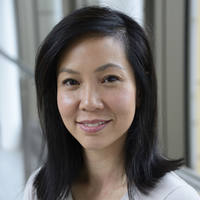
Dr Serena Nik-Zainal
CRUK Advanced Clinician Scientist and Former Wellcome Sanger Institute Group Leader

Nikita Patel
Research Assistant

Mia Petljak
Former Postdoctoral Fellow at the Sanger Institute
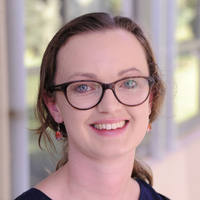
Nicola D Roberts
Former PhD Student at the Sanger Institute
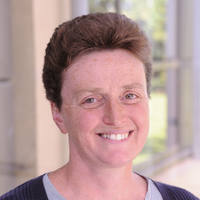
Lucy A Stebbings
Principal Bioinformatician
Related groups
Partners
We work with the following groups